Layout
Windows
Move, resize, focus, close, and layer in-terminal surfaces.
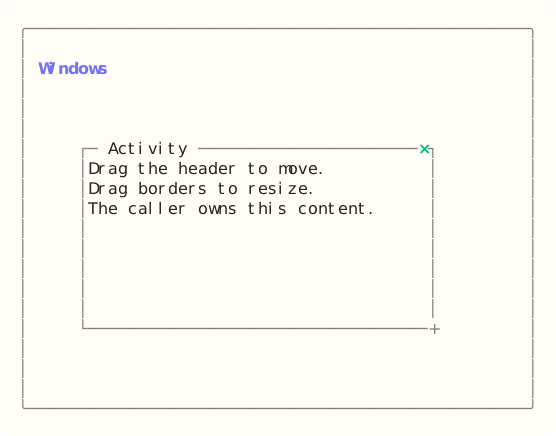
The site build compiles the dedicated Ada component example, constructs Windows through its public API, and exports that exact styled surface. Read the capture source.
When to use it
Use a window for a floating work surface inside a terminal workspace. The application still owns z-order and modal routing.
State and ownership
The Flyology_TUI.Components.Windows package defines this component.
The model retains bounds, minima, enabled state, focus, and capture. Titles, content, appearance, and child models stay external.
- The application model owner applies updates during serial event dispatch.
- Appearance and skin values are borrowed only while the component renders.
Input and updates
Drag the header to move and any border or corner to resize. Alt+Arrow keys move the window; Ctrl+Arrow keys resize it; close returns a typed request.
Integration sequence
- Create the bounded model and populate it with caller-owned data.
- Route the current keyboard or local mouse event through the component handler.
- Apply the typed result, then render from the updated model with the current appearance.
See the linked package reference for its exact declarations and contracts.
Responsive and accessible behavior
- Use dimensions and regions from the current layout or presentation value.
- When a component owns mouse capture, route its matching release even when the pointer leaves the original bounds.
- Retain a glyph, label, border, or text-attribute cue when the terminal reduces color.